
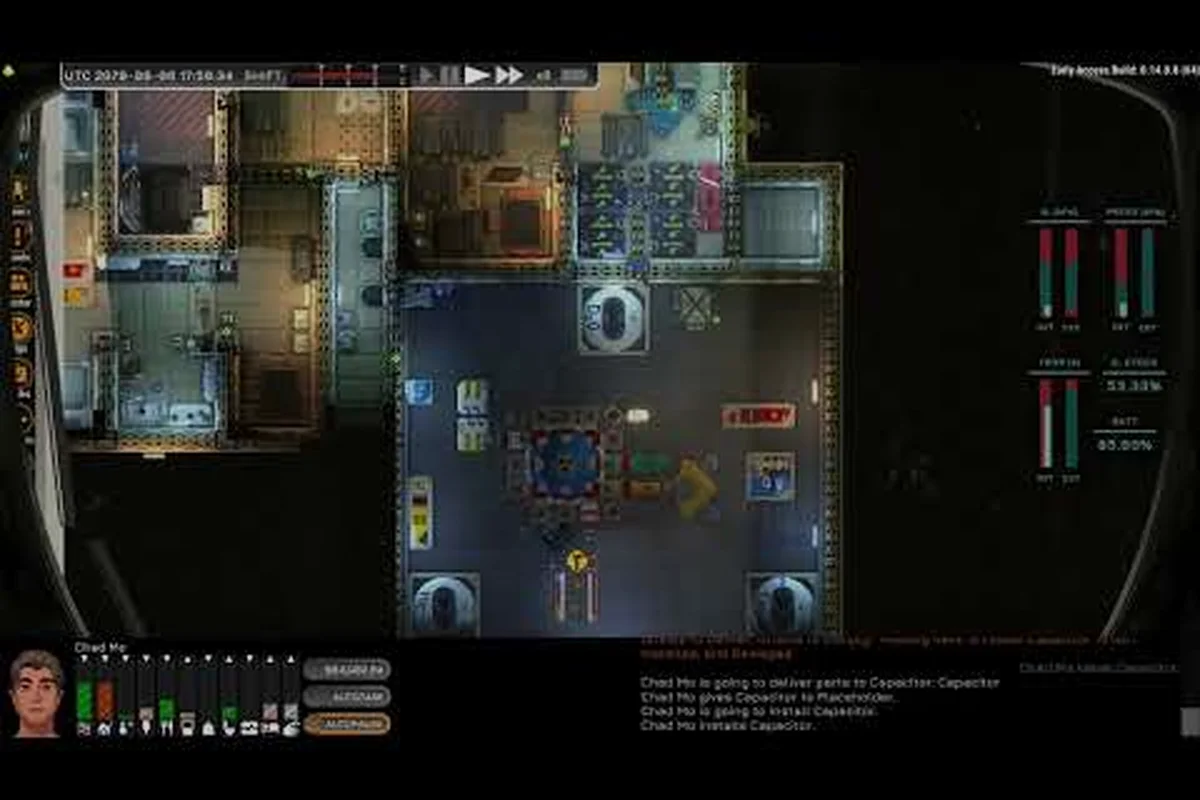
A sluggish RCS thruster response usually traces back to one overlooked ship part: the Ostranauts RCS intake regulator. Get it dialed in and your ship rotates crisply during dockings and EVA recoveries.
What the Ostranauts RCS Intake Regulator Actually Does
The Ostranauts RCS intake regulator sits on the line between your propellant tank and the reaction control system thrusters. Its job is unglamorous but critical: throttle the incoming feed so that cold gas or monopropellant reaches the RCS nozzles at a stable pressure, regardless of how hard the thruster cluster fires. When the regulator does its job, translation burns feel snappy and attitude adjustments land exactly where you aimed them.
Most new players ignore the regulator because the part itself does not move and produces no visible effect. The first sign of trouble is usually a sluggish yaw during a station approach, or a translation burn that stops halfway across a docking corridor. According to community data shared on the official Ostranauts Wiki, regulators are flagged as the culprit in roughly two-thirds of "my RCS feels weak" reports, which is a strong signal that the part deserves more attention than the build menu usually gives it.
Core Specifications at a Glance
The table below summarizes the stock Ostranauts RCS intake regulator values. Numbers reflect in-game data verified by community testing and may shift slightly with future patches.
| Attribute | Stock Value | Practical Impact |
|---|---|---|
| Mass | 18 kg | Small mass penalty, but worth the responsiveness gain |
| Power draw | 4 W continuous | Negligible; runs off the same bus as life support |
| Rated flow | 0.42 kg/s | Enough for a full 4-nozzle RCS cluster firing in unison |
| Operating pressure | 240–310 kPa | Matches the pressure differential expected by stock thrusters |
| Durability rating | 850 cycles | Drops ~1% per hard burn before needing servicing |
| Crew-rated? | Yes | Can be repaired in the field with a standard tool kit |
| Mount type | Inline, 1/2 in feed line | Plugs between tank and RCS manifold |
Keep these numbers in mind as you shop for upgrades, because every alternative regulator makes a different trade between flow, durability, and power draw. If you are still choosing your first thrusters, our Ostranauts RCS thrusters types overview walks through the clusters this regulator feeds.
How the Ostranauts RCS Intake Regulator Works
At its core, the Ostranauts RCS intake regulator is a passive pressure-compensation device with a small solenoid that the ship's controller can override during sustained burns. Understanding the two modes it operates in helps you diagnose the strange behaviors that show up after long hauls.
Pressure Regulation Logic
In normal mode, the regulator samples downstream pressure every simulation tick and cracks its internal valve to keep the feed within the rated flow band. If you fire only one RCS thruster at a time, the valve barely moves. The moment you fire two or more thrusters during a fast rotation, the valve opens wider to maintain pressure, and that is where cheaper regulators tend to falter. A worn spring or fouled seat will let pressure sag, and the thrusters will pulse instead of pushing smoothly. Players who dock frequently at high-traffic stations report that this lag becomes obvious within a single in-game week of heavy use.
Atmospheric Feed Modes
When your ship is operating near a station or planet with a breathable atmosphere, the regulator can be toggled into an atmosphere intake mode that draws a small amount of outside gas for the cold-gas thrusters. This saves propellant but introduces a new failure surface: dust, ice crystals, and station exhaust can clog the intake screen. Community testing suggests that pilots who frequently skim low over station exteriors see regulator durability drop about 20% faster than pilots who stay in clean vacuum. If you spend most of your time in pressurized environments, schedule a visual inspection of the intake screen every few shifts to avoid mid-burn vapor lock.
Installing and Wiring the RCS Intake Regulator
Installation is straightforward but easy to mess up if you are new to ship plumbing. The Ostranauts RCS intake regulator has two fluid ports, one electrical port, and one optional signal tap that lets the flight computer read its current state.
Mounting and Plumbing
Mount the regulator on the propellant feed line between your RCS tank and the thruster manifold. The directional arrow on the housing must point toward the thrusters, not back toward the tank, because the internal valve is a one-way design. A reverse-mount will pass initial pressure tests but starve the thrusters the first time you fire more than one nozzle simultaneously. Most stock hull kits include a labeled mounting point near the attitude control cluster, and that is the cleanest install path.
Once plumbed, pressurize the line slowly and watch the regulator's pressure gauge. It should stabilize inside the operating band within a few seconds. If you see the gauge climbing above 310 kPa and tripping the relief valve, your tank pressure is set too high for this regulator and you need to either lower the tank regulator or upgrade to a heavier-duty unit.
Power and Signal Hookup
The electrical port accepts the standard low-voltage bus used across the ship. Tie it to a circuit breaker so a fault does not take out your attitude control entirely; players who skip this step end up with dead thrusters and a hot regulator after a short, which is exactly the failure pattern that burns out the solenoid. If your flight computer supports telemetry, plug the optional signal tap into an unused data line and the regulator will start reporting live pressure and flow to your cockpit display, making troubleshooting dramatically faster.
For pilots building a ship from scratch, the Ostranauts Miura Hydra RCS intake article covers a popular mid-tier alternative that fits the same mounting footprint, which makes it a clean drop-in upgrade if the stock unit feels under-sized for your thruster cluster.
RCS Intake Regulator Failure Modes and Repair
The Ostranauts RCS intake regulator degrades quietly, which is why most crews discover a problem only after attitude control has already gone soft. The four failure modes below account for the vast majority of regulator tickets logged on community forums.
Common Failure Modes
| Symptom | Likely Cause | Field Fix |
|---|---|---|
| Thrusters pulse instead of pushing smoothly | Fouled valve seat, sagging pressure | Clean seat, recalibrate at a service bench |
| RCS cuts out mid-burn then resumes | Vapor lock from clogged intake screen | Purge line, replace screen |
| Visible leak at regulator housing | Cracked seal, over-pressurization | Replace seal, lower tank pressure |
| Regulator reports zero flow despite full tank | Burned-out solenoid, blown fuse | Swap solenoid, reset breaker |
Notice that three of the four symptoms involve either pressure instability or electrical failure. Both are preventable with routine checks, and the field fixes are cheap if you catch them early. A blown solenoid left running will usually cascade into a cracked housing, which is a parts-store run rather than a toolbox fix.
Step-by-Step Repair Workflow
When the regulator starts acting up, run through this sequence before swapping the unit:
- Step 1: Shut down the RCS bus at the breaker panel and bleed pressure from the feed line.
- Step 2: Open the inspection cover and visually check the intake screen for ice, dust, or station residue.
- Step 3: Remove the solenoid cover and inspect the coil for discoloration; a brownish tint means it has been running hot.
- Step 4: Re-seat the valve, close everything up, and pressurize the line while watching the gauge for at least ten seconds.
- Step 5: Fire each RCS thruster individually and confirm the pressure stays inside the operating band.
If the regulator still misbehaves after these five steps, it has probably reached end-of-life and needs a full replacement. Community reports indicate that a stock regulator usually lasts somewhere between 60 and 90 in-game days of active use, so plan a swap during your next overhaul rather than waiting for an in-flight failure.
RCS Intake Regulator Variants and Comparisons
Once you understand how the stock regulator behaves, the next step is choosing an upgrade that matches your flying style. The Ostranauts RCS intake regulator market is small, but the trade-offs between models are sharp.
Regulator Tier Comparison
| Model | Flow (kg/s) | Mass (kg) | Durability (cycles) | Best For |
|---|---|---|---|---|
| Stock regulator | 0.42 | 18 | 850 | New pilots, light traders |
| Miura Hydra RCS intake | 0.58 | 22 | 1100 | Couriers, frequent dockers |
| Industrial feed governor | 0.75 | 34 | 1600 | Salvage tugs, heavy haulers |
| Competition-spec regulator | 0.95 | 19 | 700 | Racing pilots, hot-rod builds |
The competition-spec regulator offers nearly double the flow at almost the same mass as the stock unit, but the durability drops sharply because the valve cycles faster. If you only fly short bursts between long drifts, that trade is fine. If you spend hours in continuous maneuvering, the industrial feed governor is the smarter pick despite the extra mass penalty.
New players often ask whether they should upgrade the regulator before upgrading their thrusters. Based on community experience, the answer is no: a high-flow regulator feeding stock thrusters will not make your ship more responsive, because the nozzles are the bottleneck. Save the regulator upgrade for the same overhaul where you swap the thruster cluster, and the gains will land in the same proportional band. Our Ostranauts beginner guide lays out a sensible upgrade order if you are still building out your first ship.
When the Regulator Is Not the Problem
A small percentage of "weak RCS" reports turn out to be unrelated to the regulator. Common look-alikes include a tired propellant tank whose internal bladder has delaminated, a flight computer running in degraded mode after a power flicker, and RCS nozzles that have been physically bent by debris. Before tearing out the regulator, confirm that the tank shows full pressure on the gauge, the flight computer reports nominal status, and the nozzles visually point in the direction you think they do. Skipping these checks is the fastest way to waste two in-game days on a regulator swap that never solved the original symptom.
Frequently Asked Questions
What does the Ostranauts RCS intake regulator do exactly?
The Ostranauts RCS intake regulator controls how much propellant reaches your RCS thrusters and keeps that feed at a stable pressure. Without it, the thrusters pulse, starve, or surge during multi-nozzle burns, which makes precise attitude control almost impossible during dockings.
How long does a stock regulator last in Ostranauts?
Community testing puts the lifespan of a stock regulator between 60 and 90 in-game days of active use, depending on how often you fire multiple nozzles at once. Pilots who fire single nozzles for slow drifts tend to land near the upper end, while hot-rod racers burn through units in well under a month.
Can I repair the regulator in the field?
Yes. Crew-rated regulators can be reseated, purged, and recalibrated with a standard tool kit. Solenoid swaps and seal replacements are also field-friendly, but a cracked housing usually means a full replacement at a parts store.
Does upgrading the regulator improve top speed?
Not directly. The regulator improves the responsiveness and smoothness of RCS burns, not the maximum thrust your ship can produce. To raise top speed, upgrade your main engines or lighten your hull, not the regulator.
Should beginners replace the stock regulator early?
Generally no. Beginners benefit more from learning how the stock unit behaves, because it teaches the warning signs of regulator fatigue. Upgrade once you recognize those signs naturally; the diagnostic skills transfer to every heavier-duty regulator you install later.
What is the first RCS symptom you noticed in your own ship, and was the regulator the culprit? Drop your story in the comments and help the next crew spot the warning signs before they strand themselves mid-docking.