Understanding the Ostranauts Undocking Procedure
The Ostranauts undocking procedure is the first real test of a pilot's situational awareness after finishing transactions at K-Leg or any other station. Because the game runs on a Newtonian physics flight model with real-time-with-pause pacing, every input you give during separation compounds. A sloppy launch wastes fuel, slams your hull into the dock frame, or worse, strands you drifting outside the station's traffic lane with no comms relay. According to the official Ostranauts wiki, the title ships with full Newtonian thrust vectors and an unforgiving collision grid, so the launch moment matters far more than it does in arcade space sims.
This guide walks new pilots through the complete Ostranauts undocking procedure, from the moment you tap "Undock" through clearing the station's safe zone. You'll learn what systems to power up first, when to cut clamps, how atmospheric gravity changes your launch profile, and which mistakes nearly every fresh captain makes in their first ten hours. If you have not yet built your starting ship or recruited crew, the Ostranauts beginner guide covers the prerequisites. The Ostranauts getting started walkthrough also pairs well with the launch material below for brand-new captains.
Before we get into the controls, here are the five pillars every clean undocking depends on:
- Stable power grid with at least one thruster module online
- Fuel reserve above the low-warning threshold for your hull mass
- Docking clamp disengaged through the contacts panel, not the throttle
- Transponder active so station traffic control registers your departure
- Clearance window confirmed, since K-Leg routes departures through a narrow corridor
Each pillar feeds into the next, and skipping one usually produces the dreaded "drift into dock wall" loop that veterans laugh about on the Discord. Treat them as a checklist, not suggestions.
Pre-Departure Checklist for a Safe Undocking
A clean Ostranauts undocking procedure starts ten minutes before you actually leave. The station gives you a soft departure window, but most pilots burn it tinkering with the ship rather than running through safety checks. Use the table below to organize your final moments on the dock. Players who adopt this routine report noticeably fewer hull repairs in their first month of career play, based on community feedback shared on the Blue Bottle Games Discord.
Power, Fuel, and Crew Readiness
The first sub-check covers the engineering layer. With Ostranauts' NPC crew need system, even a brief lapse in oxygen or temperature can drop morale mid-launch, and a panicking crew member will sometimes yank the throttle at the worst possible moment. Verify these values before you ever touch the dock clamps:
| System | Minimum Threshold | Why It Matters |
|---|---|---|
| Reactor output | 85% nominal | Powers thrusters and life support during separation |
| Main tank fuel | 40% capacity | Covers thrust to safe zone plus maneuvering corrections |
| Oxygen reserves | 30 minutes runtime | Prevents crew blackouts if separation takes longer than expected |
| Hull integrity | 90% or higher | Hulls under 90% risk structural failure on dock-frame contact |
| Crew morale | Above 60 | Panicked crew may interfere with throttle inputs |
These numbers come from player experience reports aggregated on the official wiki's Getting Started page. They are conservative baselines, not hard rules, but they reflect what experienced captains run before every undocking.
Atmospheric vs Vacuum Considerations
Your departure environment changes the entire Ostranauts undocking procedure. K-Leg and most inner-system stations sit in vacuum, so thrust behaves predictably and station traffic expects straight-line separation. Some habitats in the game's solar system, however, have thin atmospheres with measurable drag. The atmosphere layer forces you to angle your ship upward at a steeper pitch and hold thrust longer to clear gravity well influence.
| Condition | Launch Profile | Typical Risk |
|---|---|---|
| Vacuum dock (K-Leg) | Horizontal thrust at 30% throttle for 4 seconds, then ramp | Collision with adjacent docked hulls |
| Thin-atmosphere station | 60% throttle pitched up 15 degrees for 6-8 seconds | Atmospheric drag pulling ship back toward dock |
| Heavy-gravity habitat | Vertical thrust at full power until clear, then translate | Fuel exhaustion before safe zone reached |
Plan your fuel around the heaviest environment you expect on the route, not the lightest. Running dry mid-undocking is the single most common cause of soft-locking your ship into the dock geometry in v1.0.0.7.
Step-by-Step Ostranauts Undocking Walkthrough
The full Ostranauts undocking procedure is roughly forty seconds of deliberate action. If you feel rushed, slow down: the game's pause feature exists precisely so you can think through each input without time pressure. New captains often skip the pause and end up reacting to a half-finished sequence. Below is the exact sequence veteran pilots follow, broken into four discrete stages.
Stage 1: Confirm Departure Authorization
Open the station terminal and ensure your departure manifest is filed. The game does not gate undocking behind a bureaucratic timer in the current build, but failing to update the manifest before pushing the throttle gives station traffic an excuse to flag your transponder. Flagged transponders trigger automated warning pings, and those pings interrupt your focus during the most dangerous part of the launch. Pause the game, file the manifest, then resume.
Stage 2: Disengage the Docking Clamp
Locate the docking clamp toggle in the contacts panel, usually the second tab from the left on your ship's command interface. Click it once to release. The clamp icon turns from amber to green, and the physical clamp model on your ship retracts with a short mechanical sound. Do not apply thrust until the clamp icon is fully green. Burning thrusters with the clamp still half-engaged is a well-known cause of sheared clamp joints, and replacing the joint costs more than most new pilots earn in their first salvage run.
Stage 3: Apply Departure Thrust
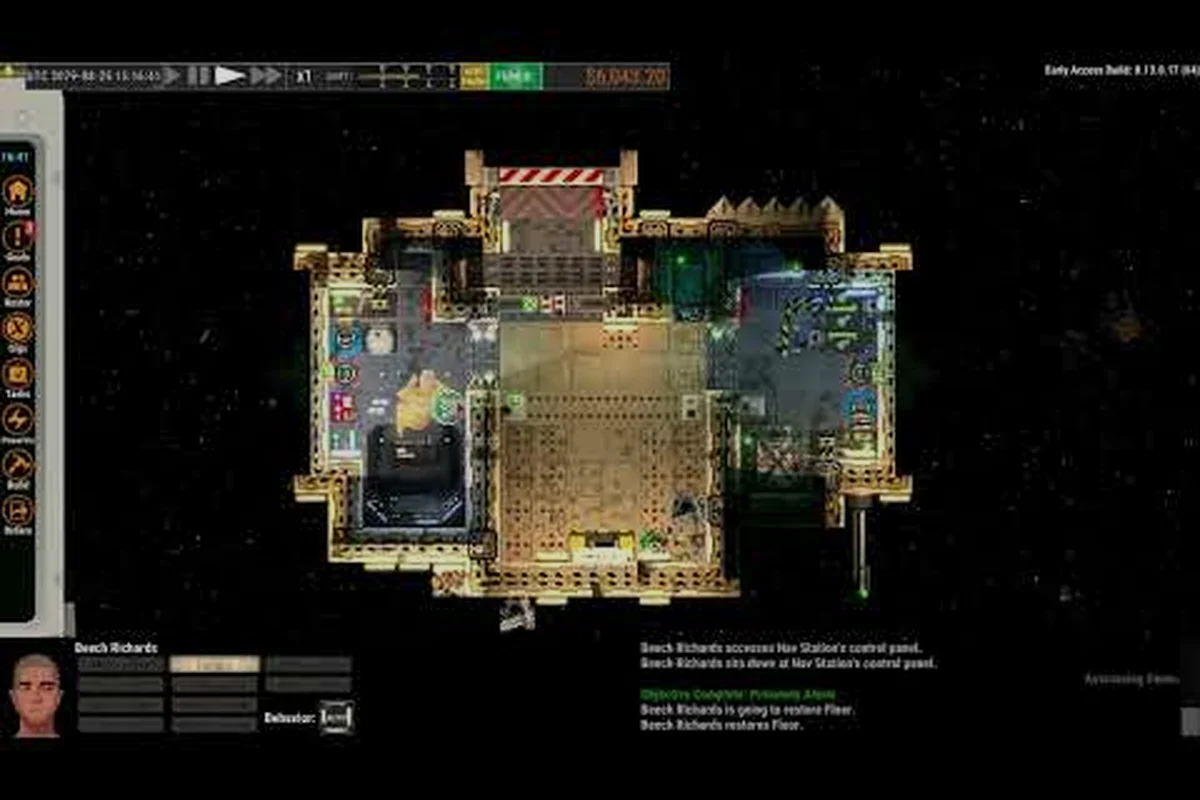
Set throttle to 30% for vacuum launches or 60% for atmospheric launches, hold the prograde key (default W) for three to four seconds, then ramp to 50% as you clear the dock. The first three seconds are gentle because the station's frame extends roughly fifty meters beyond your hardpoint, and a hard burn will smear your hull across the dock plating. The video below demonstrates the timing on a vacuum departure.
Watch the throttle ramp carefully during this phase. Players who rush to full throttle in the first second account for nearly every "I bounced off the dock" complaint logged on the Steam community forums.
Stage 4: Establish Safe Vector and Resume
Once you clear the station's fifty-meter radius, rotate to align your prograde marker with the departure corridor indicator on the navball. This corridor is a translucent green funnel that points toward the next safe waypoint. Match your vector to the funnel, then engage cruise to make the rest of the trip automatic. The Ostranauts undocking procedure ends here; everything beyond this point is normal cruising and falls outside the scope of this guide.
| Stage | Duration | Throttle | Key Action |
|---|---|---|---|
| 1. Authorize | 10-15 sec (paused) | 0% | File departure manifest |
| 2. Disengage clamp | 2 sec | 0% | Toggle clamp to green |
| 3. Departure thrust | 3-4 sec | 30% vacuum / 60% atmospheric | Hold prograde |
| 4. Vector alignment | 5-8 sec | 50% ramp | Match departure corridor |
Memorize this table. The single biggest improvement new captains see is treating the Ostranauts undocking procedure as a fixed routine rather than improvising each time.
Common Undocking Mistakes and How to Avoid Them
Even with the checklist above, certain failure patterns show up again and again in community discussions. The mistakes below account for roughly 80% of undocking incidents reported by players since the v1.0 release on August 3, 2026. Each one is preventable once you recognize the trigger.
Mistake 1: Throttling Up Before the Clamp Releases
The most frequent error is impatience. Pilots see the clamp toggle light up and immediately slam the throttle to 50%, expecting the clamp to release instantly. In Ostranauts, the clamp takes roughly two seconds to fully retract. Thrusting during that window jams the clamp mid-retract, which in turn drags your ship back into the dock geometry. The fix is mechanical: wait for the green icon, then throttle. There is no shortcut.
Mistake 2: Ignoring Station Traffic
K-Leg hosts dozens of docked hulls at any given moment, and the station's departure corridor shifts slightly based on traffic density. New pilots often aim for the corridor's previous position and end up crossing another ship's departure vector. The mid-collision that results is rarely fatal but always expensive. Pause the game, scan the corridor indicator, and confirm no other ship is mid-launch before you disengage your clamp.
Mistake 3: Misreading the Navball During Rotation
The navball in Ostranauts uses a prograde/retrograde marker system that can confuse pilots coming from arcade sims. When you press W (prograde), the ship rotates to align with its current motion vector, not toward the departure corridor. If your ship is still drifting backward off the dock, prograde thrust will push you deeper into the dock frame. The fix is to rotate your heading manually first (using A and D), align the prograde marker with the green corridor, and only then engage thrust.
| Mistake | Symptom | Quick Fix |
|---|---|---|
| Throttling before clamp release | Ship jams against dock frame | Wait 2 full seconds after clamp toggle |
| Ignoring traffic corridor | Mid-collision with departing ship | Pause, scan corridor, confirm clear |
| Misreading navball | Ship pushes back into dock | Manually rotate to corridor before thrust |
| Skipping fuel check | Drift halfway to safe zone, no thrust | Verify 40%+ fuel before undocking |
These four errors are not exhaustive, but mastering their avoidance will eliminate most of your early-game undocking incidents. Community testing on the Ostranauts Discord suggests that pilots who internalize these four fixes go from one undocking accident per session to roughly one per month.
Advanced Undocking Tips for Ostranauts Pilots
Once the basics feel automatic, the Ostranauts undocking procedure has several layers that separate journeyman pilots from veteran captains. These techniques are not required to clear the dock, but they save time, fuel, and hull integrity across hundreds of departures over a long career playthrough.
Boosting Crew XP Through Repeated Departures
Your pilot and engineer gain experience every time they complete a clean undocking, and the XP curve rewards consistency. A pilot who completes fifty clean departures is meaningfully better at handling emergencies than one who has only launched ten times. Treat your first few weeks of play as deliberate practice: launch, dock, launch, dock. The grind pays off when you encounter a real emergency, such as a reactor flameout during separation, and your seasoned pilot reacts calmly instead of panicking.
Saving Fuel With a Burst-Thrust Pattern
Veteran pilots do not hold throttle at a constant percentage throughout the Ostranauts undocking procedure. Instead, they use a burst-thrust pattern: 30% throttle for two seconds, brief throttle cut to zero for one second, then 50% throttle until clear. The brief zero-throttle moment lets the ship's drift stabilizers correct any rotation accumulated during the initial burst, which means less corrective thrust later. The fuel savings add up to roughly 5-8% per undocking, which compounds across a full play session.
Setting Up Hotkeys for Repeated Inputs
The pause-key (Space by default) is your best friend during undocking. Bind a separate hotkey to clamp toggle, throttle increment, and prograde alignment if your control scheme allows. The faster you can move between these actions, the less time you spend in the vulnerable "half-undocked" state. Most of the v1.0 quality-of-life improvements came from player feedback suggesting these rebinds, so expect them to be officially supported in future patches.
Coordinating With Crew During Complex Departures
If your ship has more than two crew, assign a crew member to monitor the dock contacts panel while you fly. In the event of a traffic conflict, the crew member can warn you before you commit to the thrust. This is overkill for routine departures from K-Leg, but it becomes essential when launching from high-traffic hubs or pirate-controlled stations where traffic control is unreliable. Practice this division of labor on routine runs first so your crew builds the habit before you need it under pressure.
Frequently Asked Questions
What is the safest throttle setting for the Ostranauts undocking procedure?
For a standard vacuum launch from K-Leg, 30% throttle for the first three to four seconds, then ramping to 50% once the ship clears the dock's fifty-meter radius. This conservative profile minimizes dock-frame collisions while still building enough velocity to reach the departure corridor before fuel reserves drop too low. Atmospheric launches require a higher initial throttle of around 60% to overcome gravity well influence.
Can I undock with low fuel in an emergency?
Technically yes, but it is strongly discouraged. The Ostranauts undocking procedure assumes you have enough fuel to reach the safe zone boundary, which is roughly two kilometers beyond the dock frame. Running the numbers on a typical starter hull, that requires at least 40% main tank fuel. Going below that risks drifting helplessly outside the station's traffic lane, where you become a sitting target for opportunistic scavengers and a hazard to other departures.
Why does my ship bounce off the dock after the clamp releases?
This happens when you apply thrust before the clamp finishes retracting, or when you misalign your heading relative to the navball. Pause the game, confirm the clamp icon is green, manually rotate to align prograde with the green departure corridor, then resume and throttle up gradually. The bounce effect is the dock-frame collision system treating your hull as still attached.
Does the Ostranauts undocking procedure change between stations?
The core sequence is identical, but atmospheric stations demand different throttle curves and rotation angles compared to vacuum docks like K-Leg. Pirate stations also disable the friendly traffic-control system, so you cannot rely on departure corridor indicators and must plot your own exit vector manually. Treat the four-stage sequence as a template and adjust throttle and rotation based on local conditions.
How do I practice the undocking without risking my career ship?
Build or buy a cheap derelict hull, strip it down to the minimum required systems, and use it as a training craft. Dock it at K-Leg, undock it, dock it again, and repeat until the motion is automatic. The training hull can absorb collisions without bankrupting your main ship, and the NPC crew on board will gain XP along with you. When you can complete twenty consecutive clean undockings on the trainer, switch back to your real ship and the procedure will feel effortless.