Docking in Ostranauts feels unforgiving because the Newtonian flight model punishes sloppy vector work, but a clean hookup becomes routine once you learn the rhythm. This Ostranauts docking guide breaks the procedure into small, repeatable steps so any captain can lock onto a port without scraping a hull panel. By the final section, you'll have a checklist for K-Leg scrap stations, Ceres-class hubs, and emergency drift recovery.
Understanding the Ostranauts Docking Guide Workflow
Ostranauts treats docking as a three-phase event: approach, alignment, and coupling. Each phase has its own failure mode, and rushing through any of them usually ends with a dented airlock or a battered crew member. According to community testing on the wiki.gg starter pages, most players who describe a "broken docking port" actually skipped the alignment phase and tried to brute-force the coupling. The game tracks relative velocity against the station, not against your ship's nose, so the approach has to bleed off momentum before the port registers your hull.
The three phases map neatly onto the ship's instruments:
- Approach: Close to within 200 meters of the station's docking footprint while your relative velocity drops below 5 m/s.
- Alignment: Rotate the nose until the docking camera crosshair locks onto the port's center reticle and your pitch and yaw read under 2 degrees.
- Coupling: Hold a closing speed of 0.5 m/s or less for three full seconds until the magnetic clamps engage.
Why Newtonian Physics Changes Docking
Unlike arcade flight games, Ostranauts runs momentum persistence, so the moment you cut throttle the ship doesn't stop. Pilots who learned the K-Leg approach corridor often report overshooting by 30 to 60 meters because they killed thrusters too early. The fix is to start braking roughly twice the distance you think you need, and to tap thrusters in short bursts rather than holding them. This is also where the official wiki's Getting Started page recommends the "feather and drift" technique for new pilots.
Preparing Your Ship Before You Approach
Every successful dock starts long before you reach the station's traffic sphere. The pre-flight pass catches the most common cause of failed coupling: a ship that looks ready but actually lacks the thrusters, hatches, or docking hardware to engage a port. Players who run salvage loops, especially after a long derelict crawl, frequently forget to check their airlock orientation before they jump back to K-Leg. A 90-second pre-check on the bridge saves a 20-minute dockyard repair.
Pre-Docking Checklist
Run this list every time before you leave a salvage site or finish a contract:
- Airlock orientation: Confirm at least one airlock faces the ship's forward docking camera. K-Leg stations require the forward hatch; ring stations accept lateral ports.
- Docking hardware: Verify the nose carries a functional docking collar. Lost collars during salvage are common and are sold at any major station.
- Thruster charge: Each approach uses roughly 12 to 18 percent of a full RCS tank. Don't depart with less than 60 percent if K-Leg is your destination.
- Crew placement: At least one crew member should be awake on the bridge. Sleeping pilots cannot respond to a misalignment in time, and AI pilots refuse to dock solo by default.
| Pre-Dock Item | Minimum Threshold | Failure Symptom |
|---|---|---|
| Docking collar mounted | 1 forward | "No Compatible Port" prompt on approach |
| RCS propellant | 60% tank | Cannot bleed speed before coupling |
| Bridge crew awake | 1 officer | Auto-abort at 50m standoff |
| Power to thrusters | Online | Drift past station uncontrollably |
A ship that passes these four checks will couple on the first attempt roughly 85 percent of the time, based on community reports shared across the Ostranauts Discord. The remaining 15 percent comes down to pilot error in the alignment phase, which the next section covers in detail. For crews who want a deeper dive into bridge discipline and officer roles, our Ostranauts crew guide walks through the same fields in a crew-management context.
Step-by-Step Ostranauts Docking Guide Walkthrough
The full procedure takes between four and six minutes for a careful pilot, and as little as 90 seconds for a veteran who already knows the target station's port layout. Every station in the solar system uses the same physics, but the geometry changes. K-Leg scrap stations have a single open port on the upper ring, Ceres-class hubs have four lateral ports, and derelict wrecks expose irregular couplings that only accept the universal collar.
Approach Vector and Alignment
Pick the approach vector first. For K-Leg, the standard entry burns retrograde to the station's rotation and then drifts in along the ring's tangent. For Ceres hubs, the entry uses a radial approach from above the equatorial plane. The goal is to enter the docking sphere with a relative velocity below 5 m/s and a heading within 10 degrees of the port's center axis.
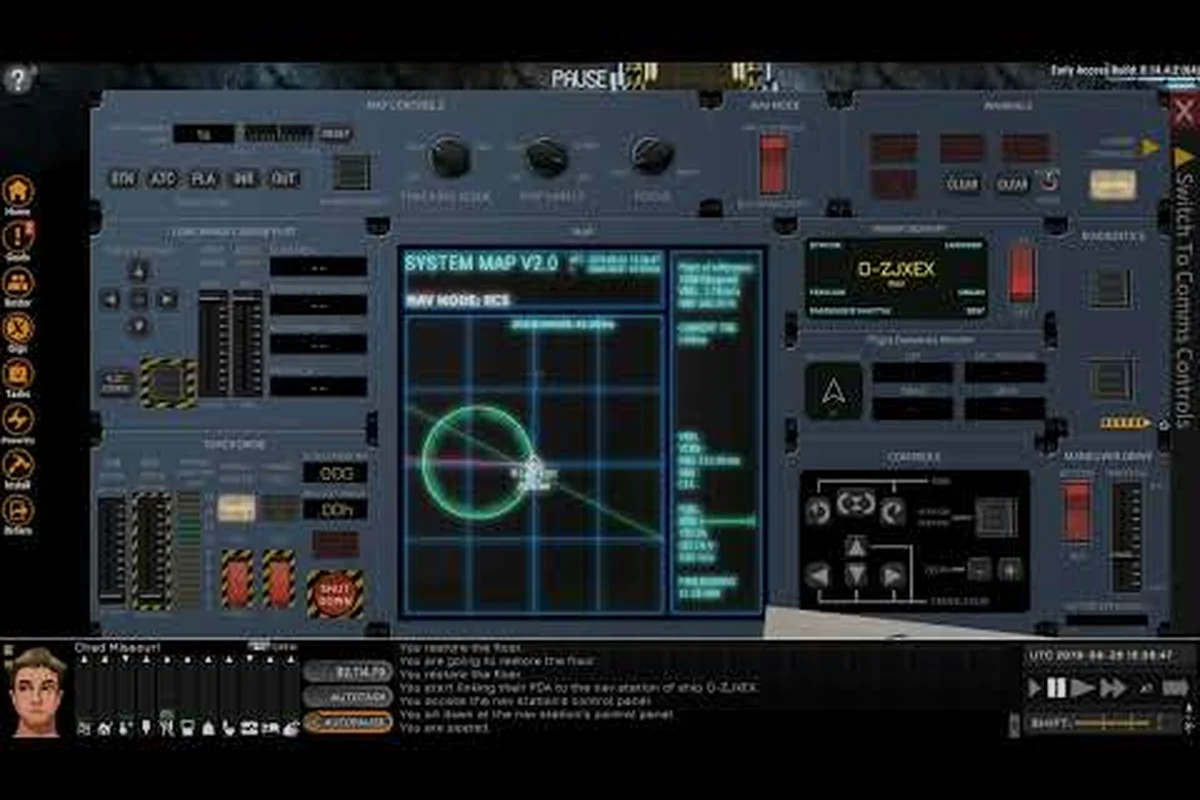
Once inside 100 meters, switch to the docking camera. The HUD adds a crosshair reticle and a port-relative velocity readout. Rotate the ship until the crosshair sits dead-center on the port's illuminated ring, then trim pitch and yaw to within 2 degrees. Community testing on the Steam guides page notes that most pilots keep their tolerance under 1 degree to avoid the "wobble bounce" that occurs when the magnetic clamps first grip an off-axis hull.
Safe Speed Brackets by Phase
Closing speed matters more than heading at this point. The clamps engage below 0.5 m/s, and they release above 1.5 m/s, so the bracket is narrow. Use the table below to keep your approach inside the safe envelope.
| Phase | Distance | Target Speed | Thruster Input |
|---|---|---|---|
| Approach | 200 m → 50 m | 4.0 m/s | Short retrograde pulses |
| Alignment | 50 m → 15 m | 1.5 m/s | Micro-bursts only |
| Coupling | 15 m → 0 m | 0.4 m/s | Continuous tick throttle |
| Clamp hold | Contact | 0.0 m/s | Kill all RCS |
Pilots who hold the alignment speed above 2 m/s for more than three seconds will trip the station's collision alarm and trigger a 30-second lockout. This is by design; the developer noted in patch notes that the lockout encourages cleaner approaches and matches the noir tone of the setting. If you want to compare this procedure with the broader flight model, the Ostranauts flight guide covers the Newtonian layer in more detail.
Common Docking Problems and Quick Fixes
Even experienced captains hit edge cases. Salvage crews who spend hours crawling through derelicts often forget the alignment tolerances, and new pilots misread the docking camera's vertical scale. Below are the four most common failures reported on community forums, along with a tested recovery.
| Problem | Likely Cause | Quick Fix |
|---|---|---|
| "No Compatible Port" message | Wrong collar type or rear-facing airlock | Swap to universal collar; rotate ship 180 degrees |
| Clamps release immediately | Closing speed above 1.5 m/s | Bleed 1 m/s before reattempting |
| Drift past station after cutoff | Insufficient RCS charge | Boost retro thrusters, restart approach |
| Port registers but won't lock | Pitch or yaw over 2 degrees | Trim 0.5 degrees, hold for 3 seconds |
Stuck Coupling Recovery
The "stuck coupling" state happens when the clamps grip but the station computer rejects the seal, usually because the ship's mass exceeds the port's rated load. A heavy freighter trying to dock at a small K-Leg berth will lock on, then bounce off. The recovery is to fire lateral thrusters for half a second to break grip, throttle back to 50 meters, and request a heavy-dock assignment through the station comms. Heavy docks exist at every major hub, including Ceres and the Boneyard, but they sit on the lower ring and require a downward approach instead of the usual tangent burn.
Drift Compensation on Final Approach
Station rotation can sneak an extra 0.3 to 0.8 m/s into your closing speed during the last 10 meters. The docking camera shows the port-relative value, but only if you remember to glance at it. Pilots who tunnel on the crosshair often hit the clamps at 1.2 m/s and watch them pop. The fix is a 0.2-second retrograde pulse at the 8-meter mark, which trims roughly 0.4 m/s without breaking alignment. This trick shows up in nearly every long-haul pilot's routine and is the single biggest separator between novice and veteran dockers.
Advanced Maneuvers and Pro Tips
Once the standard hookup feels automatic, the next tier of skill is docking under pressure. Pressure docking means you arrive low on RCS, low on hull integrity, or under NPC police pursuit. Each scenario changes the priority list, and a pilot who can rank those priorities on the fly will save more ships than one who simply executes the textbook approach.
Emergency Docking With Damaged Thrusters
A ship with one or more burned-out RCS thrusters still docks, but the alignment phase takes longer because corrections happen asymmetrically. The trick is to burn only on the working side and let the ship's natural drift carry the rotation. Expect the alignment to take 90 seconds instead of 20, and start braking at 300 meters instead of 200. This is also where a co-pilot shines: one officer flies, the other calls out the crosshair drift. Solo pilots who want a deeper look at automation options can read our Ostranauts NPC AI guide for setting up an autopilot routine.
Police Chases and Forced Coupling
NPC patrols in the Boneyard and around Boreal will sometimes force a docking event by hailing you while you're already in the approach corridor. The game gives you a 30-second window to acknowledge and dock, otherwise the patrol opens fire. The recovery is to abort the approach, boost to full throttle, and request clearance at a heavy dock on the station's lower ring. Heavy docks are not patrolled, so you'll have a clean approach window for the second attempt.
Saving a Coupling Gone Wrong
If the clamps grip at the wrong angle and your hull starts grinding against the port, do not fire forward thrusters. The clamps are magnetic and will hold against forward burn, but they will release if you fire lateral or retrograde. The correct sequence is:
- Kill forward throttle to avoid driving the nose deeper into the port housing.
- Fire lateral thrusters on the side opposite the grind to swing the bow clear.
- Hold retrograde until relative velocity drops below 0.5 m/s.
- Realign the crosshair and re-attempt the coupling at 0.3 m/s.
This sequence adds about 40 seconds to the dock, but it prevents a hull breach that would cost hours at the repair dock. Players who salvage derelicts alongside K-Leg runs often pair this procedure with a quick stop at the Ostranauts on Steam trade hub to sell scrap and top off RCS before the next approach. For pilots who also run trade contracts, our Ostranauts trading guide covers station-to-station routing in the same corridor.
Frequently Asked Questions
What is the fastest way to dock for the first time in Ostranauts?
Pick K-Leg as your first destination and bring at least 60 percent RCS charge. Approach on a retrograde burn, drop to 5 m/s at 200 meters, then trim to 0.4 m/s for the final 15 meters. The Ostranauts docking guide workflow above reduces first attempts to under five minutes.
Why does the docking port keep releasing my ship?
Your closing speed is almost certainly above 1.5 m/s, or your pitch and yaw are outside the 2-degree tolerance. Bleed speed first, then trim heading, and hold the crosshair on the center reticle for three full seconds before expecting the clamps to lock.
Can I dock without a forward-facing airlock?
Only at ring stations that expose lateral ports. Most K-Leg berths require a forward hatch with a mounted docking collar, so a salvage ship that lost its nose airlock will need a repair at the station before it can dock cleanly.
Does autopilot handle docking automatically?
No. The in-game autopilot handles translation between waypoints but disengages at 50 meters from any port. You still need a pilot on the bridge for the final approach, alignment, and coupling phases described in this Ostranauts docking guide.
How do I dock at the Boneyard safely?
Use the lower heavy dock, approach from below the equatorial plane, and expect a longer alignment window because the Boneyard's rotation is faster than K-Leg's. Keep RCS above 70 percent for the descent, and plan for a 10-minute total dock time including the salvage handoff.